MuleRun Workflow Automation: Automate Your Whole Day in 2026 ⚙️

What if your boring tasks just did themselves?

Not once. Every day. On a schedule. Without you lifting a finger.

That is the promise of workflow automation with MuleRun. And in this guide, I will show you exactly how it works. With real examples you can copy.

I have built these automations for my own work. So this comes from hands-on use, not theory. By the end, you will know how to hand off whole chunks of your day. 👇

⚠️ Affiliate disclosure: Some links are affiliate links; I may earn a small commission at no cost to you. Examples are based on my hands-on use and official info from mulerun.com.

⚙️ Automate your first task — start MuleRun free

Try MuleRun Free →

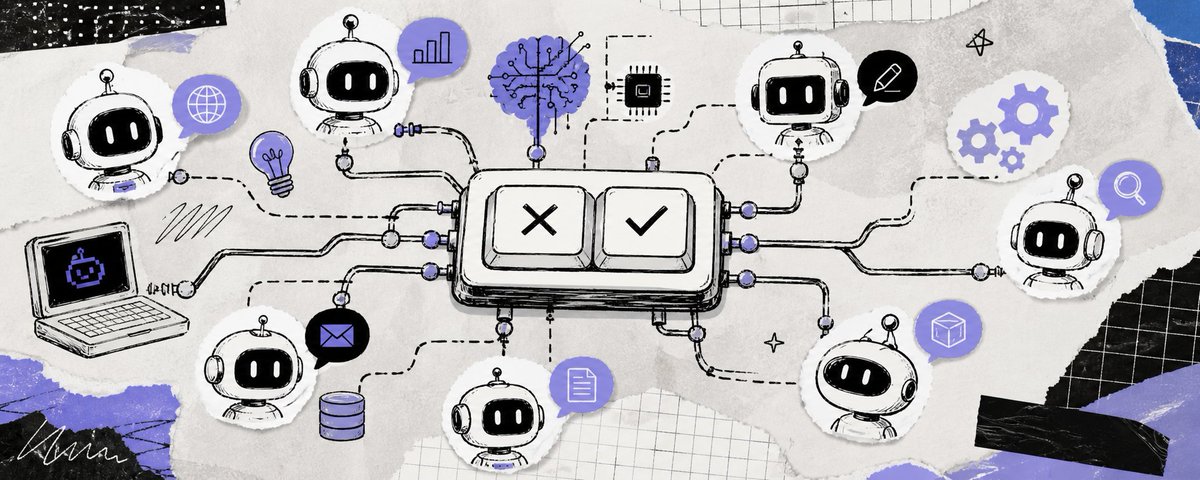
MuleRun agents automating tasks across a workflow

What workflow automation really means ⚙️

Let me start simple. Because the word "automation" scares people. It should not.

Automation just means a task runs on its own, without you doing it each time. You set it up once. Then it repeats by itself. That is the whole idea.

With MuleRun, this is powerful because the agent runs on a computer that stays on 24/7. So your automated tasks run even when you are away. Even when you sleep. The work happens in the background, and you collect the results.

This is the big difference from a chatbot. A chatbot only works while you type. An agent can work on a schedule, on its own. That is what makes real automation possible. If you are new, start with my how to use MuleRun guide.

Why automate your workflows? 🎯

Before the how, let me sell you on the why. Because this changes how you work.

Think about your week. How many tasks do you repeat? Checking prices. Gathering news. Building reports. Running the same chores, over and over. Each one eats time and focus.

Now imagine those tasks running themselves. The price check happens overnight. The news digest builds before you wake. The weekly report writes itself. You stop doing the chores and start reading the results.

That is the payoff. Not just saved time, though that is real. It is saved focus. You keep your energy for the work that matters, while the routine stuff handles itself. For busy people, that shift is huge. My is MuleRun worth it post does the value math.

The building blocks of an automation 🧱

Every MuleRun automation has the same simple parts. Learn these, and you can build anything.

1. The taskwhat to do 2. The triggerwhen to run 3. The actionwhat it builds 4. The outputwhere it lands

You describe the task. You set a trigger, like a daily time or a condition. The agent takes the action, doing the steps. Then it delivers the output, like a file or a report. That is every automation, in four parts.

Example 1: A morning briefing automation 🌅

Let me give you a real, copyable automation. My favorite one.

The task: gather the day's top news in my niche and summarize it. The trigger: every morning at 6 a.m. The action: browse, gather, summarize. The output: a clean briefing file, waiting when I wake.

I set this up once. Now, every single day, my briefing is ready before my coffee. I read it in three minutes. A task that used to eat my first hour now happens while I sleep.

You can build the same thing in minutes. Just describe the news you want, set the time, and let it run. It is the perfect first automation. Simple, useful, and it shows the power right away.

💡 Build your first overnight automation — free to start

Start Free →

Example 2: A price-monitoring automation 👀

Here is one for shop owners and deal hunters. It uses the proactive power.

The task: watch competitor prices. The trigger: check every night, or when a price changes. The action: compare against your list and flag big moves. The output: a morning report, with the changes highlighted.

The clever part is that it does not just alert you. It can take the next step. Build the report. Flag the urgent items. So you wake up not just informed, but ready to act.

This is the difference between an alert and an action. A simple alert says "something changed." A MuleRun automation says "something changed, and here is the report on it." That extra step saves you real work.

Example 3: A weekly report automation 📊

This one is gold for freelancers and managers. It handles a whole recurring deliverable.

The task: research a topic and build a formatted report. The trigger: every Friday afternoon. The action: gather data, write it up, format it cleanly. The output: a finished report, ready to review and send.

Instead of dreading the weekly report, you just review it. The agent did the digging and the drafting. You add your insight and ship it. A multi-hour task becomes a short review.

Stack a few of these, and your week transforms. The recurring chores handle themselves. You focus on the parts only a human can do. That is the heart of workflow automation.

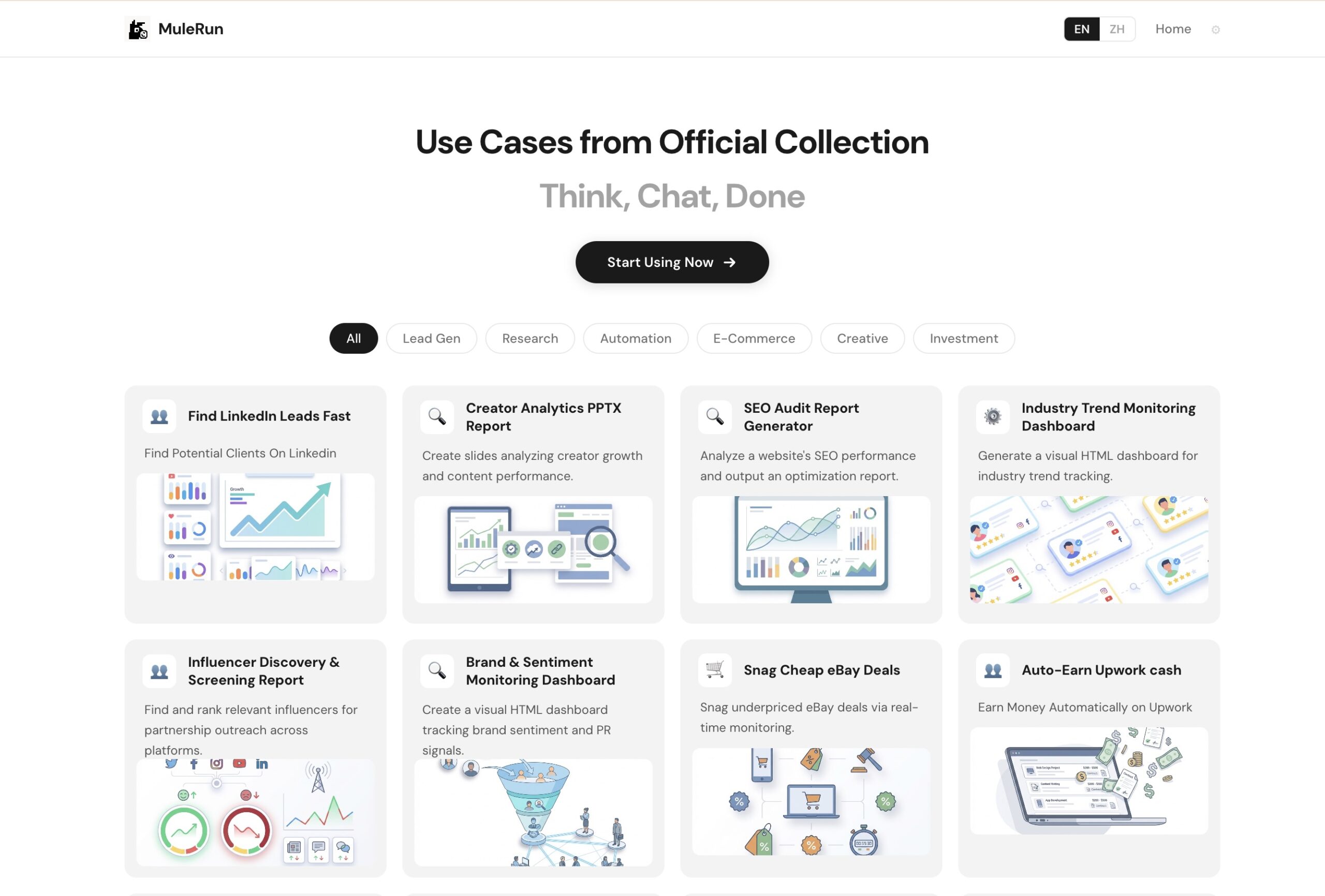
MuleRun Use Cases — ready-made agents to automate

How to build your first automation 🛠️

Ready to try? Here is the simple path. No code, no stress.

First, pick one repeated task. The more often it repeats, the better. A daily check. A weekly report. Something boring you do on a schedule.

Second, describe it clearly to MuleRun. Spell out what you want and how. Be specific. The clearer your description, the better the result.

Third, set when it should run. A daily time. A weekly day. Or a condition, like "when a price changes." This is your trigger.

Fourth, choose where the output goes. A file. A report. Your connected tools. So you find it easily when it is done.

Then let it run. Check the first result carefully. Tweak the description if needed. Once it is dialed in, it runs on its own. You just collect the results. Start with one. Add more as you grow comfortable.

Start small, then scale 📈

A word of advice. Do not automate your whole life on day one. That is a recipe for confusion.

Start with one automation. The morning briefing is perfect. Let it run for a few days. Get comfortable. See how it feels to wake up to finished work.

Then add a second. Maybe the price monitor. Then a third. Slowly, you build a little team of agents, each handling one job. Before long, a real chunk of your routine runs itself.

This slow build is the smart way. Each automation you add is one you understand and trust. You are not juggling ten half-built flows. You are growing a reliable system, one piece at a time. My what can MuleRun do post has more task ideas to automate.

Advanced automation ideas 🚀

Once you have the basics down, you can get creative. Here are richer automations to aim for.

A full morning command center. Chain several tasks into one. News digest, plus competitor check, plus your calendar summary, plus key metrics. All gathered overnight into a single briefing. You start each day fully informed, from one file.

A content research pipeline. Every week, the agent researches trending topics in your niche, gathers sources, and drafts outlines. You walk in Monday with a week of content ideas ready to refine.

A lead-research engine. Set it to find and compile potential leads on a schedule. Each week, a fresh list lands in your file. Your sales work starts with the digging already done.

A monitoring-and-act loop. Watch a metric. When it crosses a line, build a report and flag it. This turns passive watching into active response, all on its own.

A weekly client update builder. For each client, gather their numbers and draft a friendly update. You review and send. A recurring chore becomes a quick review.

Each of these is just the building blocks chained together. Task, trigger, action, output. Once you see automations as combinations of those parts, the ideas come easily. The only real limit is your imagination. My use cases guide has more to spark ideas.

Industries automating with MuleRun 🏭

Automation is not one-size-fits-all. Different fields use it differently. Here is a taste.

E-commerce. Owners automate price monitoring, stock checks, and competitor tracking. They stay ahead of the market without watching it all day.

Marketing agencies. They automate trend research, reporting, and content prep. The busywork runs itself, freeing the team for strategy and creative work.

Freelancers. They automate research and first drafts. They deliver client work faster, take on more, and reclaim their evenings.

Finance and investing. Some automate market data gathering and summary reports. They wake to a briefing instead of building one. (Note: this is for information, not investment advice.)

Local services. Owners automate review monitoring and simple reports. They keep a pulse on their business without extra hours.

Whatever your field, the pattern holds. Find the repeat tasks. Automate the ones that save the most time. Reclaim your hours. The specific automations differ, but the win is universal.

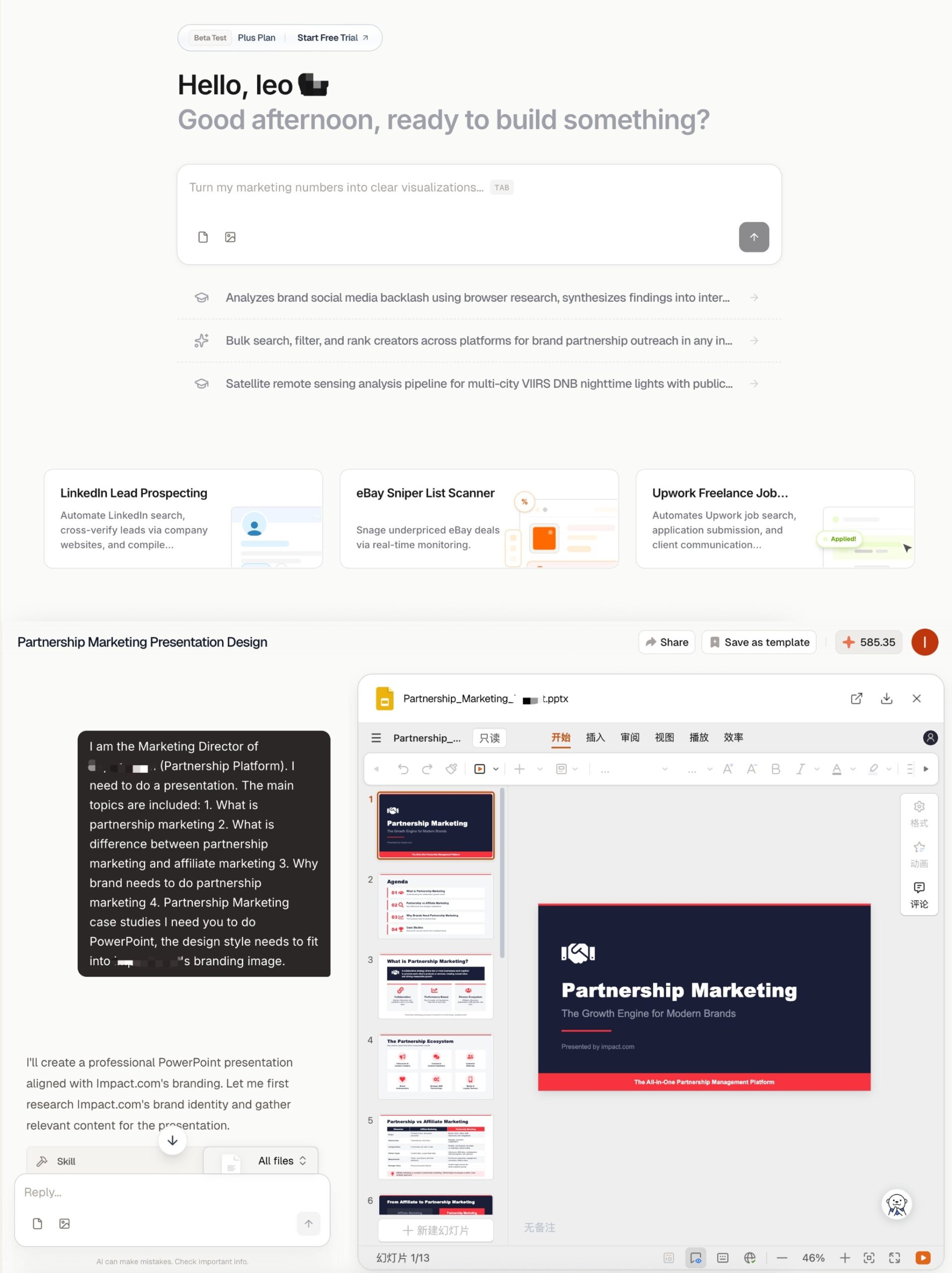
MuleRun dashboard — set up automations from one place

Automation mistakes to avoid ❌

Let me save you from the common traps. I hit a few of these early.

Automating too much at once. Starting with ten flows is overwhelming. You lose track of what runs when. Start with one. Add slowly.

Vague task descriptions. A fuzzy automation gives fuzzy results, every single run. Be specific up front. A clear description pays off every time it runs.

Never reviewing the output. Automation is "set and check," not "set and forget forever." Glance at the results regularly. Make sure they still hit the mark.

Ignoring credit use. Automations spend credits on every run. If you forget that, a busy month can surprise you. Track your usage as you add flows.

Automating the wrong tasks. Not every task is worth automating. Focus on the ones you repeat often and that save real time. A rare task is not worth the setup.

Avoid these, and your automations stay reliable and affordable. The goal is a system you trust, not a pile of half-working flows. Build it carefully, and it will serve you for a long time.

From automation to a self-running routine 🔄

Here is the bigger vision. Where this all leads.

When you start, you do every task by hand. Tiring, but normal. Then you automate one task. A little time comes back. Then another. And another.

Before long, a real chunk of your routine runs itself. Your mornings start with finished briefings. Your reports build themselves. Your monitoring runs in the background. You shift from doing the work to directing it.

That is the dream this tool chases. Not replacing you. Freeing you. You spend your hours on the work that needs a human, while the routine handles itself. For a solo worker or small team, that is a genuine edge. It is like having a tireless assistant who never sleeps.

You do not have to go all the way. Even one or two automations make a real difference. But the path is there if you want it. And every step along it gives you a little more of your time back. My make money with MuleRun post shows how some turn this into income.

Keep control with checkpoints 🔒

Automation does not mean losing control. This matters, so let me be clear.

MuleRun keeps human checkpoints. For big actions, it can ask before it acts. You can require review on certain steps. You can pause any automation anytime. You always keep the wheel.

So you can automate freely without fear of it running wild. The routine, safe tasks run on their own. The big, risky steps wait for your okay. That balance is exactly what you want. Power, with a safety net. My is MuleRun safe review covers this in depth.

MuleRun mascots at work — automations running in the background

Watch a live automation demo 🎥

Here is my video showing a full workflow automated.

Watch your credits as you automate 🔋

One honest note before you go wild. Automations use credits each time they run.

A daily automation runs every day, so it spends credits every day. That is fine, but it adds up. So as you build more automations, keep an eye on your usage.

The good news is that light tasks, like a news digest, cost little. So a few small daily automations stay affordable. Heavier tasks, run often, cost more. Match your plan to how much you automate. My pricingcredits guides help you plan.

The trick is balance. Automate the tasks that save you the most time for the least credits first. Those give the best return. Then add heavier ones as your plan allows.

Frequently asked questions ❓

What is MuleRun workflow automation?
It is setting up tasks to run on their own, on a schedule or trigger, without you doing them each time. The agent runs them 24/7 and delivers the results.

Can MuleRun run tasks while I sleep?
Yes. It runs on a dedicated machine that stays on around the clock. You can schedule automations to run overnight and wake to finished work.

Do I need coding skills to automate with MuleRun?
No. You describe the task and the schedule in plain words. No code, no setup files. It is built for normal business users.

What tasks can I automate?
Morning briefings, price and metric monitoring, weekly reports, research files, content prep, and more. Repeat, structured tasks automate best.

Will automations act without my approval?
You stay in control. MuleRun keeps checkpoints, can ask before big actions, and lets you pause anytime. Routine tasks run freely; risky steps wait for you.

Do automations use more credits?
Yes. Each run spends credits. Light daily tasks cost little; heavy frequent tasks cost more. Watch your usage and match your plan. See my credits guide.

Final thoughts 🏁

Workflow automation is where MuleRun goes from handy to life-changing.

You stop doing the boring, repeat tasks. You set them up once, and they run themselves. Overnight. On schedule. In the background. You collect the results and focus on what matters.

The best way to feel it is to build one. Start with a morning briefing. Set it up. Let it run. Wake up to finished work. That single automation will change how you see your whole week. And the free plan means you can start today.

⚙️ Let your tasks run themselves — start MuleRun free

Start MuleRun Free — 500 Credits →

Affiliate link · No credit card required · Prices from mulerun.com, may change

MuleRun Studio — automate creative tasks too

Last updated: 2026. Features and capabilities are based on official information from mulerun.com and my own hands-on use at the time of writing, and may change. This is general information, not professional advice.

Yam Bahadur Uparkoti

发表评论

滚动至顶部