
Plays in the language you are reading. Tap any paragraph to start from there.
After comparing Kamatera, DigitalOcean, Linode, and Vultr on price, features, performance, and ease of use, my conclusion is clear. Kamatera wins on value. It offers the lowest prices for equivalent configurations. The customization options are unmatched. The free trial with $100 credit is generous.
DigitalOcean has better documentation and a larger community. Linode offers a solid middle ground. Vultr has the cheapest entry point at $2.50/month. But for overall value, flexibility, and transparent See Kamatera’s full pricing breakdown for every configuration, Kamatera is my top pick for 2026.
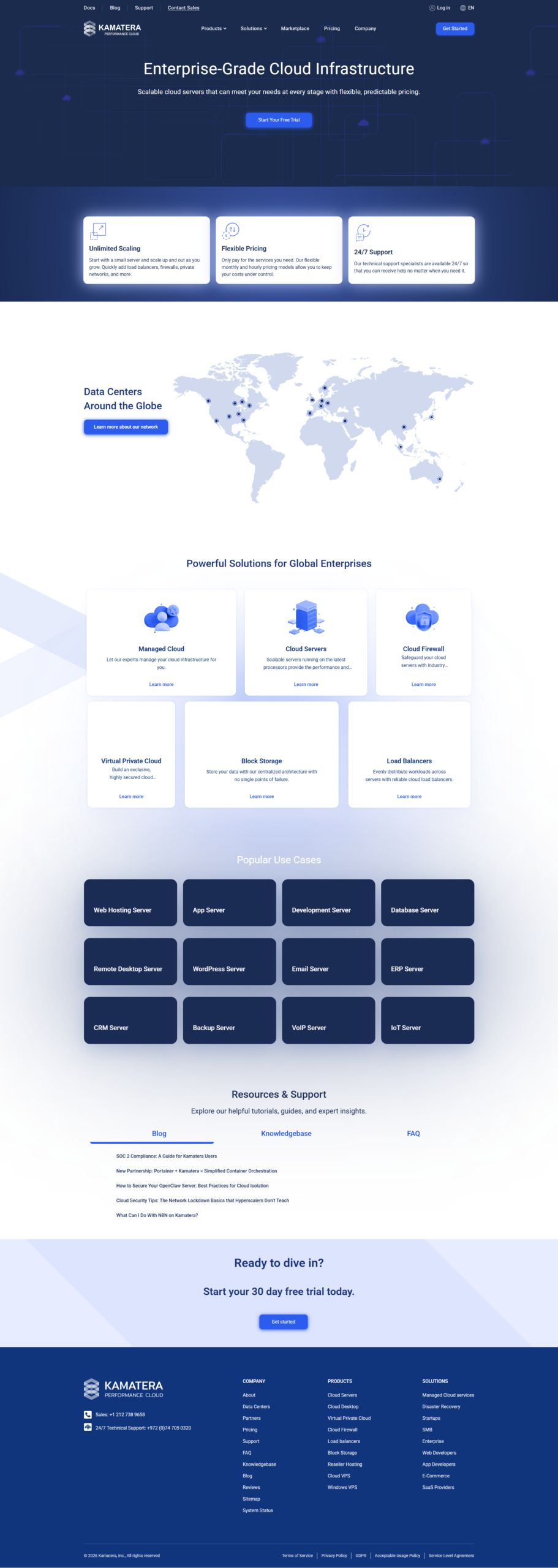
Choosing a cloud hosting provider is a big decision. There are dozens of options. Most people narrow it down to a few names.
Kamatera. DigitalOcean. Linode (now part of Akamai). Vultr.
These four providers dominate the self-managed cloud VPS space. Each has strengths. Each has weaknesses. I tested all four so you do not have to.
This comparison covers pricing, features, performance, ease of use, support, and more. By the end, you will know exactly which provider fits your needs.
Pricing Comparison: Who Is Cheapest?
Price is the first thing most people compare. Let us look at the numbers for equivalent configurations.
| Configuration | Kamatera | DigitalOcean | Linode | Vultr |
|---|---|---|---|---|
| 1 vCPU / 1 GB | $4/mo | $6/mo | $5/mo | $2.50/mo |
| 1 vCPU / 2 GB | $6/mo | $12/mo | $10/mo | $6/mo |
| 2 vCPU / 2 GB | $12/mo | $24/mo | $24/mo | $20/mo |
| 2 vCPU / 4 GB | $19/mo | $48/mo | $48/mo | $40/mo |
| 4 vCPU / 8 GB | $40/mo | $96/mo | $96/mo | $80/mo |
Kamatera wins on pricing for most configurations. The 2 vCPU / 4 GB plan at $19/month is less than half the price of DigitalOcean or Linode at $48/month.
Vultr is cheapest at the entry level ($2.50/month for 1 vCPU / 512 MB). But that configuration is very limited. For any real workload, Kamatera is more affordable.
Feature Comparison
Price is not everything. Features matter too. Here is how the four providers stack up on key features.
| Feature | Kamatera | DigitalOcean | Linode | Vultr |
|---|---|---|---|---|
| Custom CPU/RAM | Full control | Fixed droplets | Fixed plans | Fixed plans |
| Data centers | 14 | 15 | 11 | 32 |
| Uptime SLA | 99.95% | 99.99% | 99.99% | 99.95% |
| Free trial | $100 / 30 days | $200 / 60 days | $100 / 60 days | $100 / 30 days |
| Managed services | Yes ($50/mo) | No | No | No |
| Block storage | Yes | Yes | Yes | Yes |
| Load balancers | Yes | Yes | Yes | Yes |
| Private networking | VLAN | VPC | VLAN | VPC |
| Windows support | Yes | No | Limited | Yes |
| Hourly billing | Yes | Yes | Yes | Yes |
Kamatera is the only provider that offers full CPU/RAM customization. The others lock you into fixed plans. If you need a specific configuration, Kamatera lets you build it.
Kamatera is also the only provider with managed services. For $50/month, their team handles setup and maintenance. This is invaluable if you lack server administration experience.
Performance and Uptime
All four providers use enterprise-grade hardware. All offer SSD or NVMe storage. But there are differences in performance.
Kamatera uses Intel Xeon Platinum and Cascade Lake processors. They are modern, powerful, and reliable. The NVMe SSD storage is fast — we are talking 10x faster than traditional spinning drives.
DigitalOcean and Linode also use high-end Intel processors. Performance is comparable across all four for most workloads.
Uptime is where things get interesting. Kamatera offers a 99.95% SLA on servers, CPUs, firewalls, load balancers, and storage. DigitalOcean and Linode offer 99.99% on their core infrastructure.
In practice, all four providers are highly reliable. Downtime minutes per year are minimal across the board. The SLA differences matter more for compliance than real-world reliability.
Ease of Use
This is where DigitalOcean and Linode shine. Their control panels are beautiful and intuitive. Creating a server takes seconds. The user experience is polished.
Kamatera’s interface is functional but less polished. It gets the job done. You can deploy a server in 60 seconds. But the design is not as smooth as DigitalOcean’s.
Here is a quick breakdown:
✅ Kamatera
- Functional, clean interface
- 60-second server deployment
- Pricing calculator is excellent
- Dashboard shows real-time usage
- Learning curve is moderate
🌟 DigitalOcean
- Beautiful, intuitive UI
- One-click app marketplace
- Excellent documentation
- Large community tutorials
- Easiest for beginners
If you are new to cloud hosting, DigitalOcean might feel more welcoming. But the difference is not huge. Anyone with basic technical skills can use Kamatera after a short learning period.
Customer Support Comparison
| Provider | Support Channels | Response Time | Quality |
|---|---|---|---|
| Kamatera | 24/7 live chat, phone, ticket | Fast (minutes for chat) | Excellent — knowledgeable staff |
| DigitalOcean | Tickets only (no live chat) | Hours to days | Good — large knowledge base |
| Linode | 24/7 ticket, phone (limited) | Moderate | Good — experienced support team |
| Vultr | Tickets only | Varies | Adequate — minimal hand-holding |
Kamatera has the best support of the four. 24/7 live chat with real technical staff. Phone support available. Response times are measured in minutes, not hours.
DigitalOcean has a fantastic knowledge base and community tutorials. But their direct support is ticket-only. If you need help urgently, Kamatera is a better choice.
Free Trial Comparison
All four providers offer free trials. Here is how they compare.
| Provider | Trial Credit | Duration | Card Required? | Your Risk |
|---|---|---|---|---|
| Kamatera | $100 | 30 days | Yes | Low — set a reminder |
| DigitalOcean | $200 | 60 days | Yes | Low — set a reminder |
| Linode | $100 | 60 days | Yes | Low — set a reminder |
| Vultr | $100 | 30 days | Yes | Low — set a reminder |
DigitalOcean offers the highest trial credit at $200 for 60 days. But their hourly prices are higher too. The $200 lasts about as long as Kamatera’s $100 because consumption rates differ.
Pro tip: The best strategy is to try Kamatera first with the $100 free trial. If it meets your needs, stick with it for the lower ongoing price. If not, try DigitalOcean with their $200 credit. You get two free trials and can compare them directly.
Start with the best value — try Kamatera free
Get $100 in free credit for 30 days. Compare Kamatera with DigitalOcean, Linode, and Vultr — risk-free. Build any server, test performance, decide with real data.
When to Choose Each Provider
Choose Kamatera if…
You want the lowest price for real workloads. You need custom server configurations. You want managed services. You value 24/7 live support. You want transparent pricing with no surprises.
Choose DigitalOcean if…
You value a polished user experience. You want one-click app deployments. You rely heavily on community tutorials. You need their App Platform for simplified deployment.
Choose Linode if…
You want a solid middle ground between price and features. You need their long-standing reputation. You want straightforward, no-frills cloud hosting.
Choose Vultr if…
You want the absolute cheapest entry point ($2.50/month). You need the most data center locations (32). You are building a large-scale infrastructure that needs many deployment regions.
Detailed Provider Reviews
Kamatera Deep Dive
Kamatera has been operating since 2013. They serve over 25,000 customers worldwide. Their infrastructure runs on enterprise-grade hardware with Intel Xeon processors and NVMe SSD storage.
The biggest strength is customization. No other provider lets you choose exact CPU, RAM, and storage specifications. You pay only for what you need. This flexibility is unique in the market.
The managed services add-on ($50/month) is a differentiator. If you do not have a system administrator on your team, Kamatera handles server setup, security hardening, updates, and backups for you.
The one weakness is the interface. It is functional but not as polished as DigitalOcean or Linode. You can still do everything you need — create, configure, and monitor servers — but the experience is less refined.
DigitalOcean Deep Dive
DigitalOcean is the most popular cloud VPS provider for developers. Their interface is clean and intuitive. Their documentation is comprehensive. Their community has thousands of tutorials.
DigitalOcean’s App Platform is a standout feature. You can deploy code directly from GitHub without managing servers. This is great for developers who want to focus on code, not infrastructure.
The downside is pricing. DigitalOcean is significantly more expensive than Kamatera for equivalent specs. A 2 vCPU / 4 GB droplet costs $48/month compared to $19/month on Kamatera.
Linode (Akamai) Deep Dive
Akamai acquired Linode in 2022. Since then, Linode has benefited from Akamai’s global network infrastructure. Performance is solid and reliable.
Linode’s pricing is identical to DigitalOcean for most configurations. The plans are straightforward and easy to understand. Their support is responsive and knowledgeable.
The main limitation is also pricing. Like DigitalOcean, Linode is more expensive than Kamatera for equivalent specs. Their fixed plan structure means you cannot customize resources.
Vultr Deep Dive
Vultr has the most data center locations at 32. This is a big advantage if you need to deploy infrastructure close to users in many regions.
Their entry-level price of $2.50/month is the cheapest among all four providers. But that plan includes only 512 MB of RAM and 1 vCPU — very limited for anything beyond simple experiments.
Vultr’s interface is clean but less feature-rich than DigitalOcean. Their support is adequate but not outstanding. For large-scale multi-region deployments, Vultr is worth considering.
Which Provider Has the Best Value in 2026?
After testing all four providers, here is my honest ranking based on overall value.
| Rank | Provider | Overall Score | Best For |
|---|---|---|---|
| 1 | Kamatera | 9.0 / 10 | Best value, lowest prices, most flexibility |
| 2 | DigitalOcean | 8.5 / 10 | Best UX, best docs, best community |
| 3 | Linode | 8.0 / 10 | Solid middle ground, reliable |
| 4 | Vultr | 7.5 / 10 | Most locations, lowest entry price |
Kamatera offers the best combination of low price, customization, and features. The $100 free trial lets you test it before committing. That is hard to beat.
See why Kamatera beats the competition
Try Kamatera free for 30 days with $100 credit. Compare pricing, performance, and features yourself. No risk, no commitment — just real data to make the right choice.
FAQ: Kamatera vs DigitalOcean vs Linode vs Vultr
Is Kamatera cheaper than DigitalOcean?
Which provider has the best free trial?
Does Kamatera offer Windows servers?
Which provider is best for beginners?
Can I migrate from DigitalOcean or Linode to Kamatera?
Which provider has the most data centers?
Final Recommendation
If you want the best value for your money, choose Kamatera. It offers the lowest prices, the most customization, managed services, and 24/7 live support. The free trial lets you test everything risk-free.
If you prioritize a polished user experience and great documentation, choose DigitalOcean. You will pay more, but you get a smoother experience.
If you need the most data center locations, choose Vultr. If you want a proven, reliable middle ground, choose Linode.
My advice? Start with Kamatera’s free trial. If it works for your workload, you save money every month. If not, you have lost nothing and can try another provider.

- Does Antivirus Still Matter? What Testing Shows - September 15, 2026
- Tube Magic vs ChatGPT: Are You Paying for a Wrapper? - September 15, 2026
- Ransomware and Small Business: The Real Numbers - September 12, 2026